
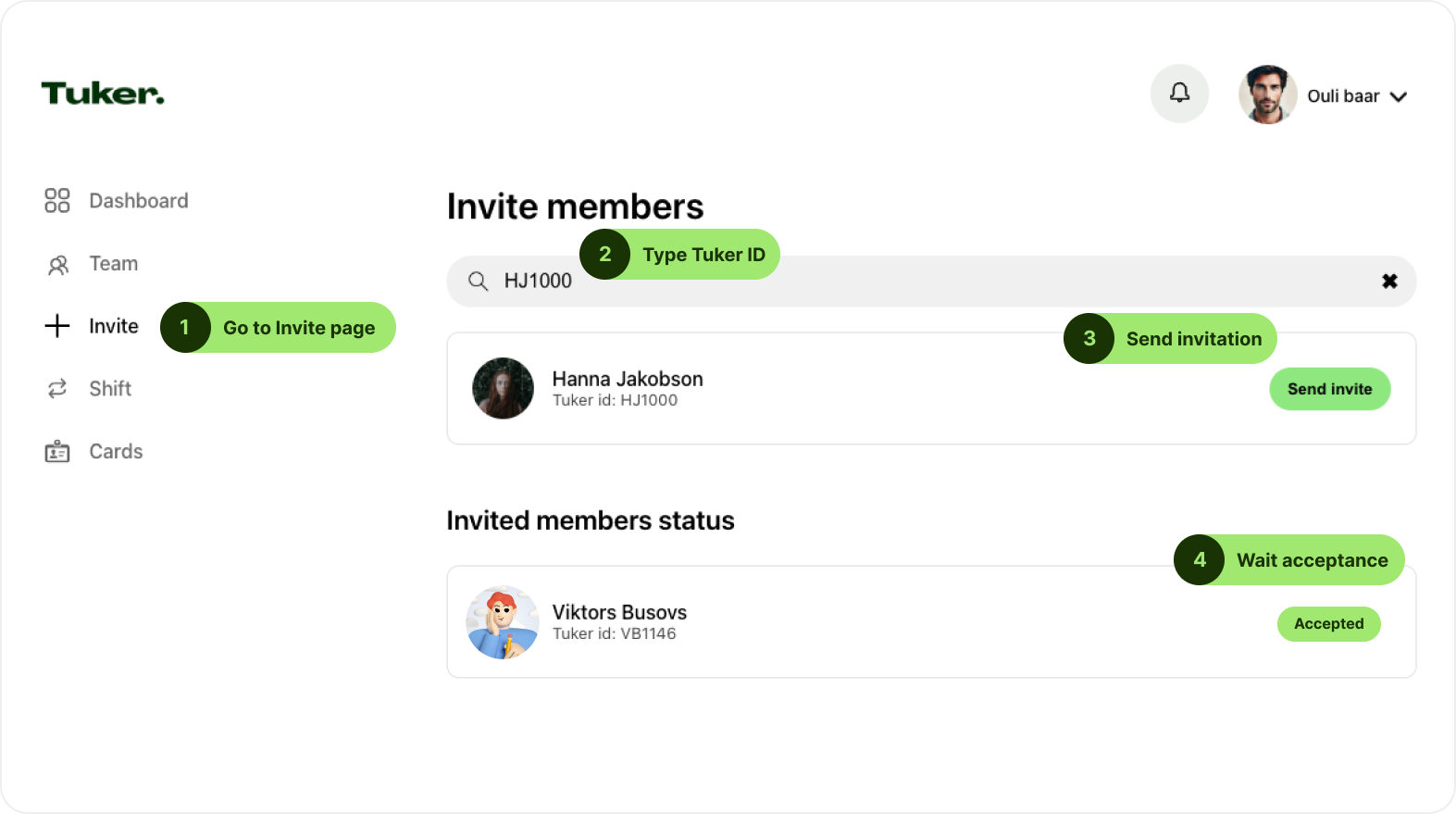
– Go to the Invite Page:
Navigate to the “Invite” section in the sidebar.
– Enter Tuker ID:
Type the Tuker ID of the user you want to add in the search bar. If you don’t know their ID, ask them to provide it.
– Send an Invitation:
Click the “Send invite” button next to the user’s profile.
– Wait for Acceptance:
Check the “Invited members status” section to track the invitation. Users must accept the invitation to join your team.
Need Help?
If you encounter any issues and have questions about the process, please reach out to our support team through the help section on our website.